
Statistics
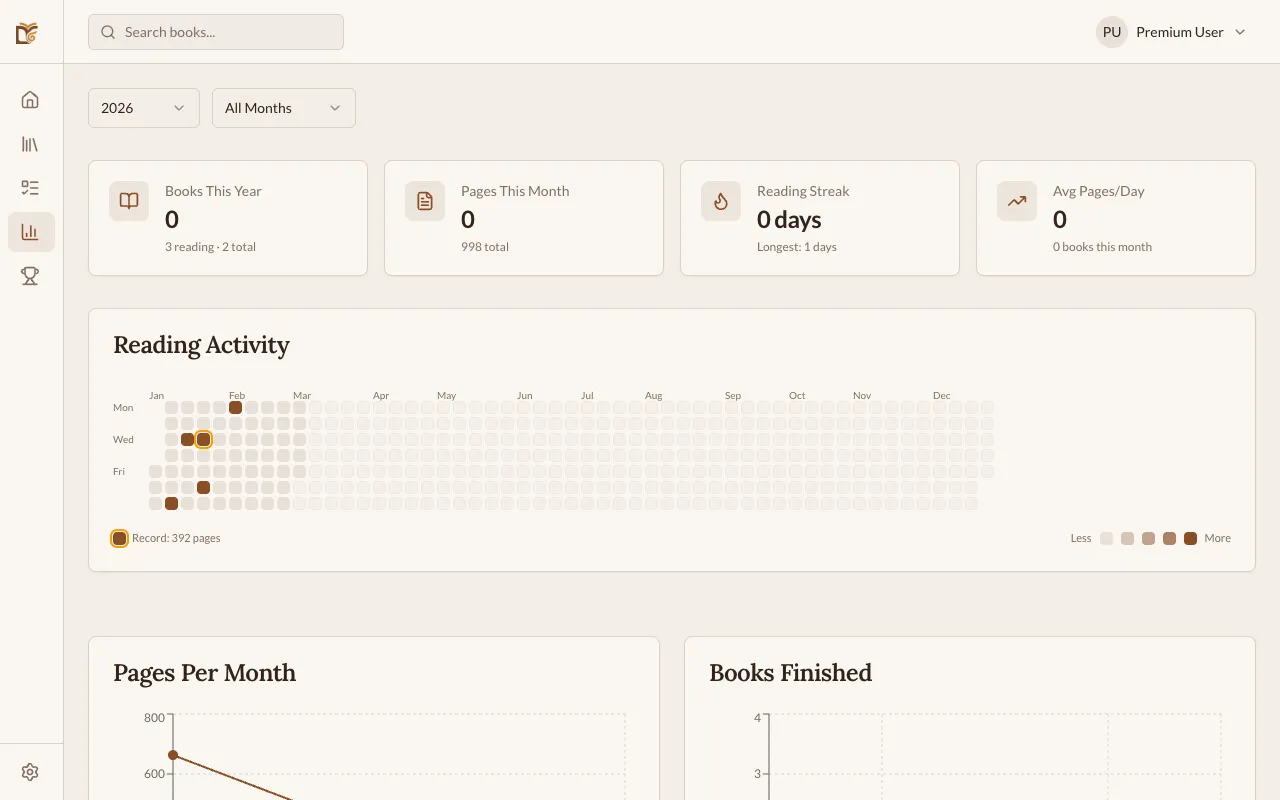
The Statistics page gives you a visual overview of your reading habits over time.
Reading Streak
Section titled “Reading Streak”Your reading streak counts how many consecutive days you’ve logged at least one reading session. The streak resets if you miss a day.
Your current streak is displayed on the Dashboard and the Statistics page.
Charts and Analytics
Section titled “Charts and Analytics”The Statistics page includes several charts:
Pages Read Over Time
Section titled “Pages Read Over Time”A line chart showing how many pages you’ve read per day, week, or month. Use the time range selector to zoom in or out.
Books read per month
Section titled “Books read per month”A bar chart showing how many books you’ve completed per month. Click any bar (or tap one on mobile) to open a list of the actual books you finished in that month — covers, authors and ratings included. Tap a row to jump straight to the book’s detail page.
Reading by Category
Section titled “Reading by Category”A breakdown of your reading by genre/category, shown as a pie or bar chart.
Reading Speed
Section titled “Reading Speed”Your average pages per session and estimated reading speed based on logged durations.
Key Metrics
Section titled “Key Metrics”At the top of the Statistics page, you’ll see summary cards:
- Total books read — lifetime count of finished books
- Total pages read — lifetime page count
- Current streak — consecutive days reading
- Longest streak — your personal record
- Average pages/day — based on your recent activity
Time Ranges
Section titled “Time Ranges”You can filter statistics by:
- Last 7 days
- Last 30 days
- Last 12 months
- All time
Reading Habit Insights
Section titled “Reading Habit Insights”At the bottom of the Statistics page, Bookworm surfaces patterns from your reading history:
| Insight | What it shows |
|---|---|
| Best day | Day of the week when you read the most pages |
| Best time | Time of day (morning, afternoon, evening, night) when you have the most sessions |
| Avg session | Your average session length in minutes |
| Reading speed | Your average speed in pages per hour |
| Longest session | Your longest recorded reading session |
| Top category | The genre you’ve finished the most books in |
| DNF rate | Percentage of started books marked Did Not Finish |
Insights appear once you have at least one logged reading session.